ZimaControl: monitoring and control panel for my NAS
A single-container control panel for my ZimaOS home server: live hardware, drive and container monitoring with alerts, safe Docker Compose updates with automatic rollback, and one table that drives private Tailscale access to every app.
The problem
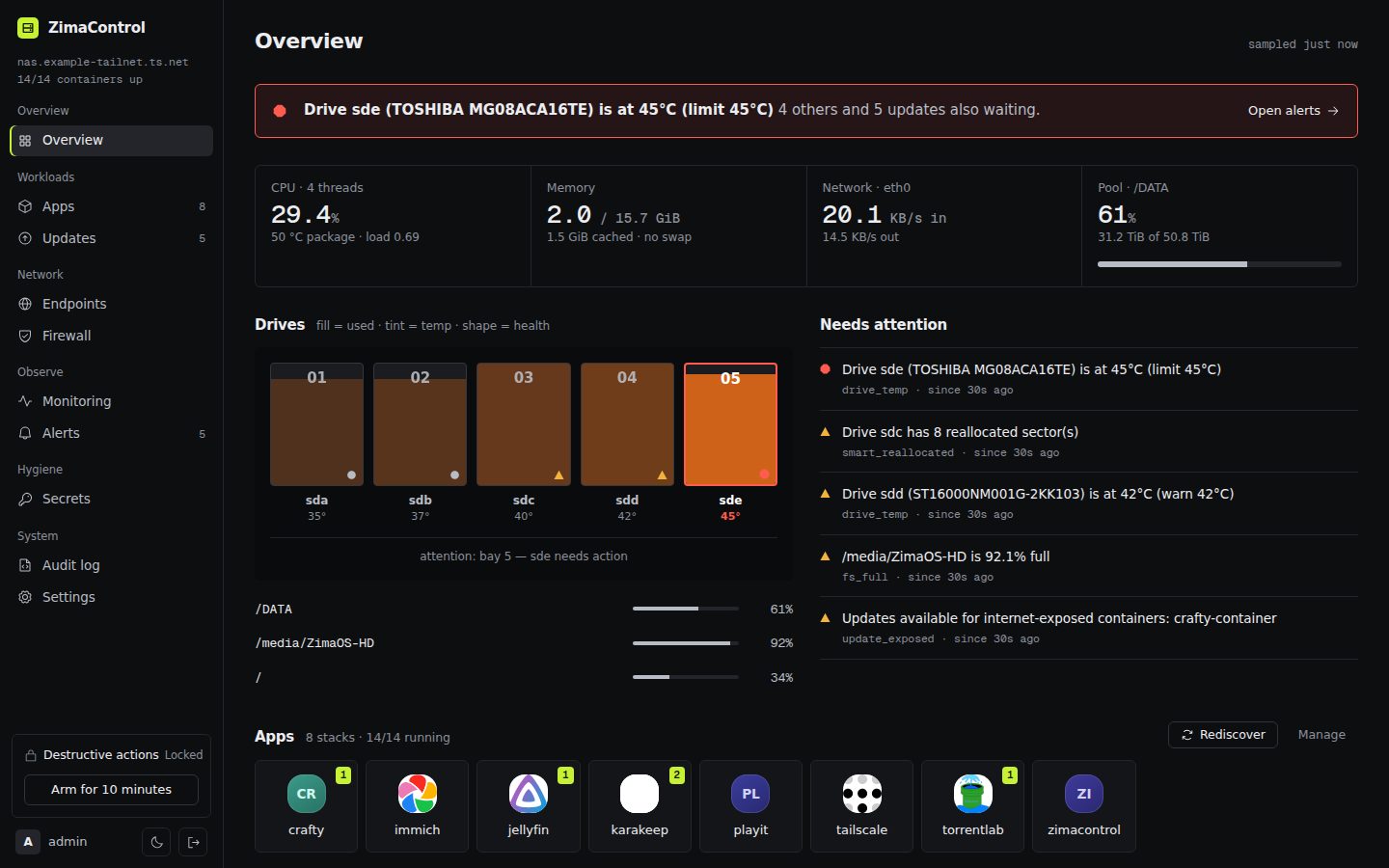
My NAS runs ZimaOS and a dozen self-hosted apps in Docker. The stock dashboard couldn't tell me what I actually cared about: whether a drive is overheating or reporting bad sectors, which containers are running outdated images, or whether a container that should be behind a VPN has silently fallen back to the open network. Wiring each app to a private tailscale serve HTTPS address was manual and easy to get wrong.
ZimaOS is also unusual to build for: the root filesystem is read-only and /var is wiped on reboot. So ZimaControl ships as one Docker container and keeps all of its state in a single data folder.
How it works
From sensor to notification
- 01CollectSix collectors read CPU, memory, storage, network and containers every 10 s; SMART every 60 s
- 02StoreSQLite tiers: 10 s data for 1 hour, 1-minute averages for 7 days, hourly for a year
- 03StreamEach snapshot is pushed to the browser over a WebSocket; REST serves history
- 04EvaluateAlert rules run on every sample and every container discovery
- 05Notifyntfy, Gotify, Discord or email, only on open, escalate and resolve
- 06Act safelyUpdates, endpoints and firewall changes: plan, apply, verify, roll back
- Monitoring. Collectors read the host's
/procand/systhrough read-only mounts every 10 seconds: CPU per core with temperatures and load, memory, filesystems, disk throughput and IOPS, network per interface, and CPU, memory and network per container. Drive health comes fromsmartctlevery 60 seconds, using standby mode so sleeping disks aren't woken. - Storage that doesn't grow forever. Samples go into SQLite in three tiers: 10-second data for an hour, 1-minute averages for a week and hourly averages for a year.
- Alerts. 13 rule types, including drive temperature, SMART failures and reallocated sectors, full filesystems, container restart loops, a VPN-leak check and updates for internet-exposed apps. Notifications go to ntfy, Gotify, Discord or email, and only when an alert opens, escalates or resolves.
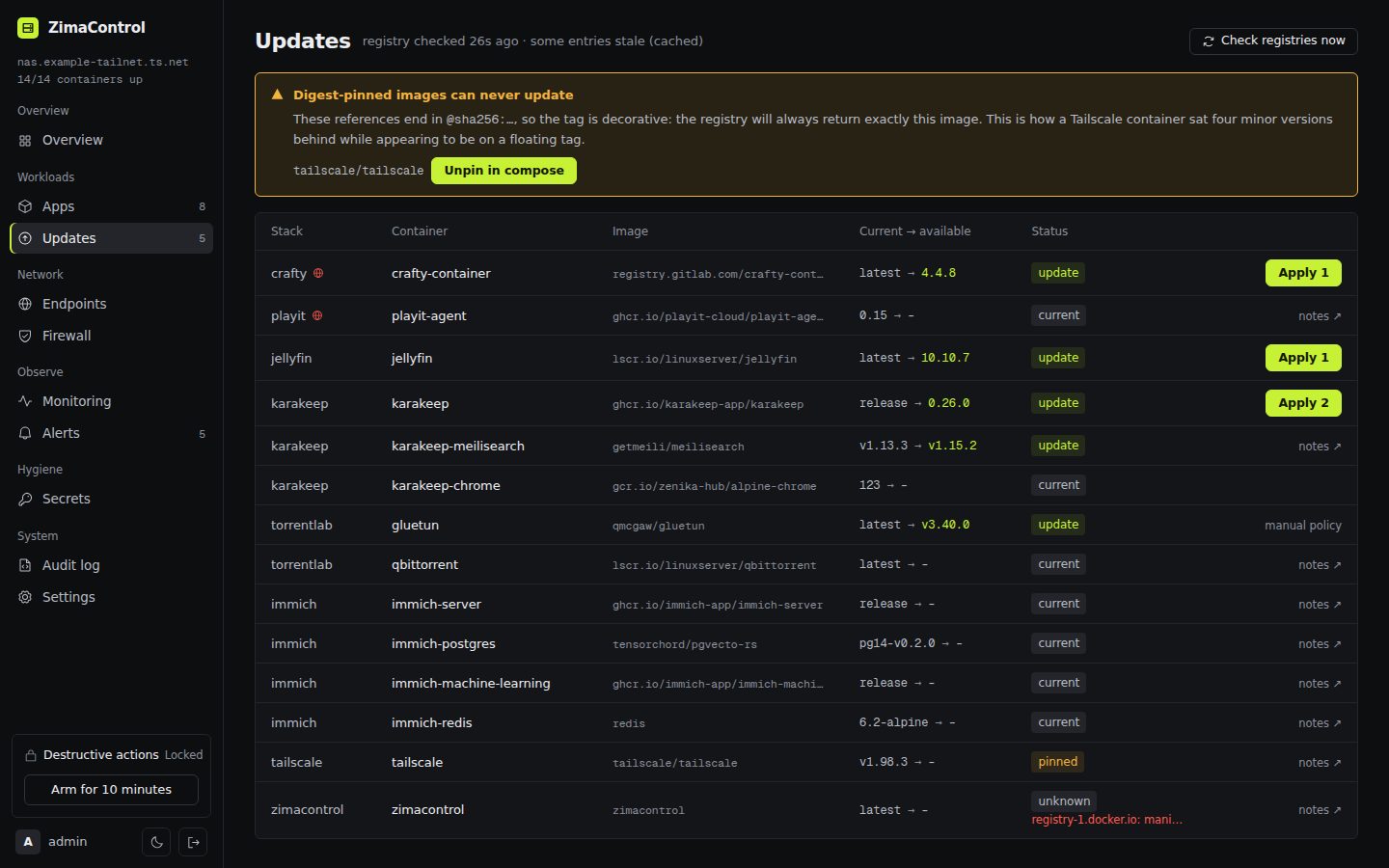
- Safe updates. Registry digest checks show which images have updates, and catch digest-pinned images that can never update. Updates can be manual, notify-only or automatic on a schedule.
- Endpoints. One table generates the
tailscale servecommands, dashboard tiles and app URL settings, checks for conflicts and shows a diff before applying.
Built to be safe
Every risky action follows the same pattern: snapshot, apply, verify, and roll back automatically if verification fails. That covers compose edits, image updates, endpoint changes and firewall rules, and firewall changes also have a five-minute dead-man switch that survives restarts. Everything is written to an append-only audit log.
The panel is reachable only through Tailscale: the port is bound to localhost, the single admin account uses argon2id with rate-limited sign-in, and write requests must be JSON from the panel's own origin. A secrets scanner flags weak or placeholder passwords in compose files and can generate replacements.
Code by part (lines)
Source: wc -l over server/src and web/src in the repository
Engineering
TypeScript end to end: a Fastify 5 server with dockerode and better-sqlite3, and a React 19 front end with live updates over a WebSocket. GitHub Actions typechecks, runs the test suite, builds a multi-stage Alpine image, smoke-tests it and publishes it to the GitHub Container Registry. A demo mode simulates the whole NAS, which is how the screenshots here were taken.
It is deliberately built for my own box (five drive bays, Intel temperature sensors, my apps), not as a general product.